
/start
Setup your wallet and get started with the bot. Creates a secure Turnkey wallet automatically.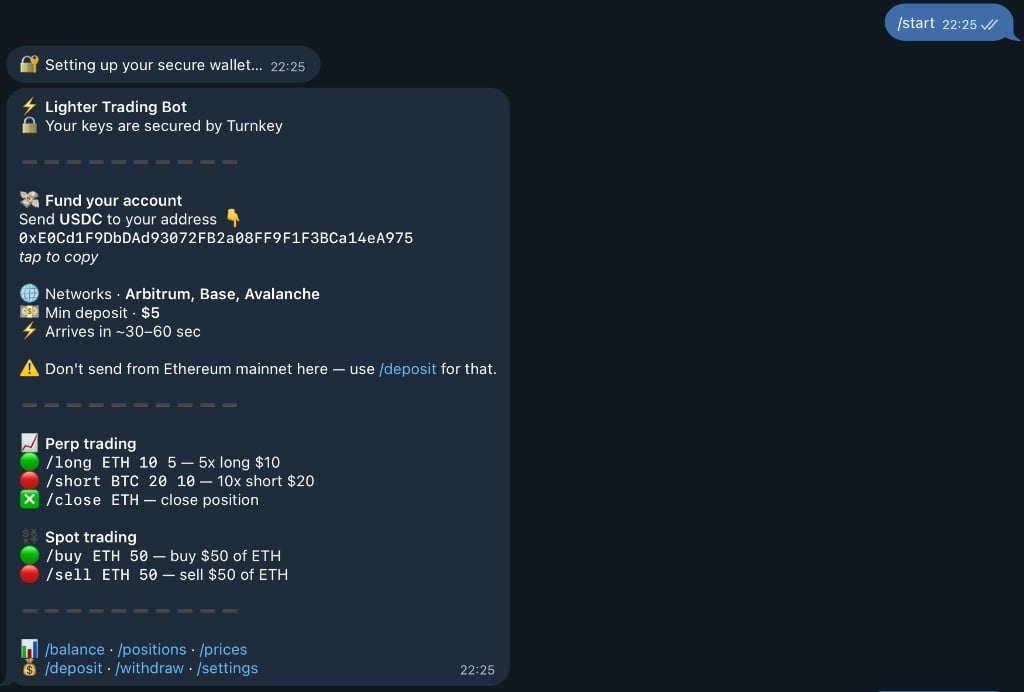
/balance
Check your balance across PERP and SPOT accounts. Shows available balance, collateral, and total asset value.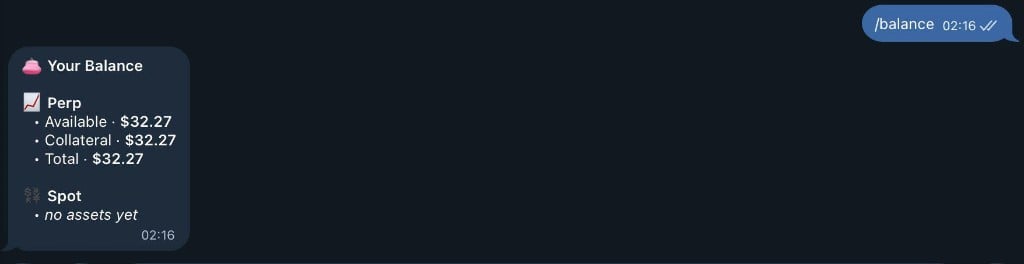
/wallet
Your deposit address for receiving USDC on Ethereum Mainnet.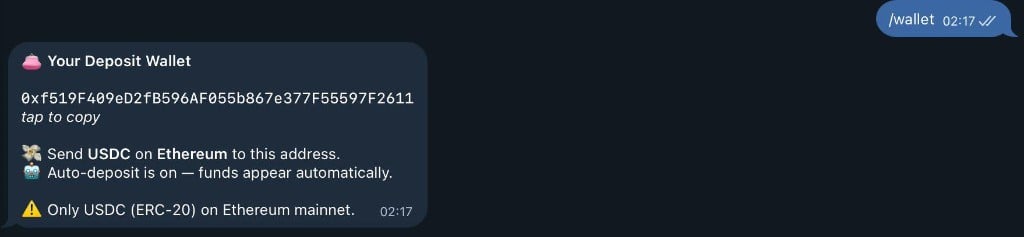
/deposit
Check deposit status and view your wallet address. Automatically deposits USDC to Lighter when received.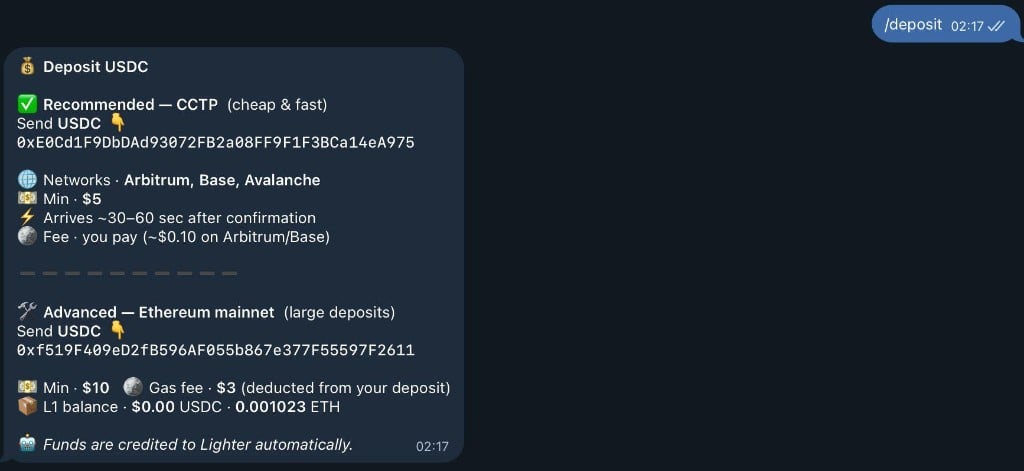
/withdraw
Withdraw funds from your account to any Ethereum address. Follow the interactive prompts to complete withdrawal.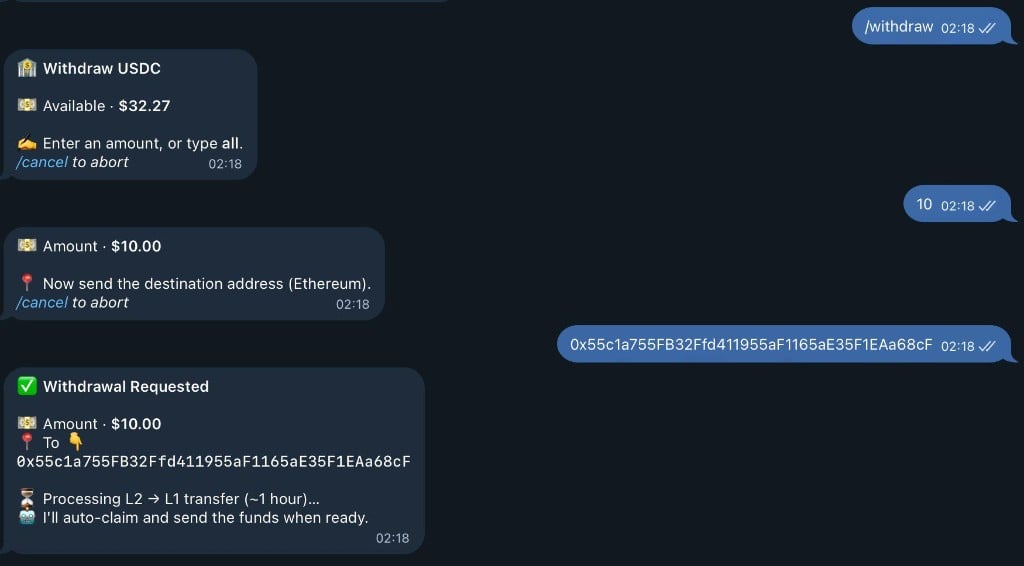
/transfer
Usage:/transfer or /transfer <amount>
Transfer funds between PERP and SPOT balances. Move funds to optimize your trading strategy.
Examples:
/transfer to start:
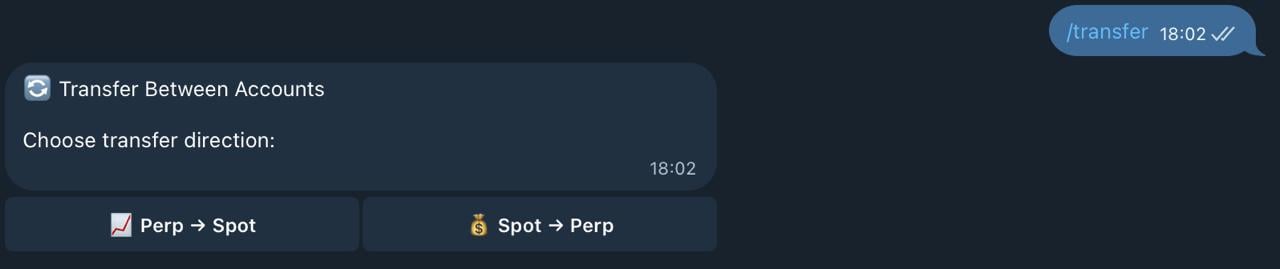
- 📊 PERP → SPOT (for spot trading)
- 📈 SPOT → PERP (for perpetual trading)
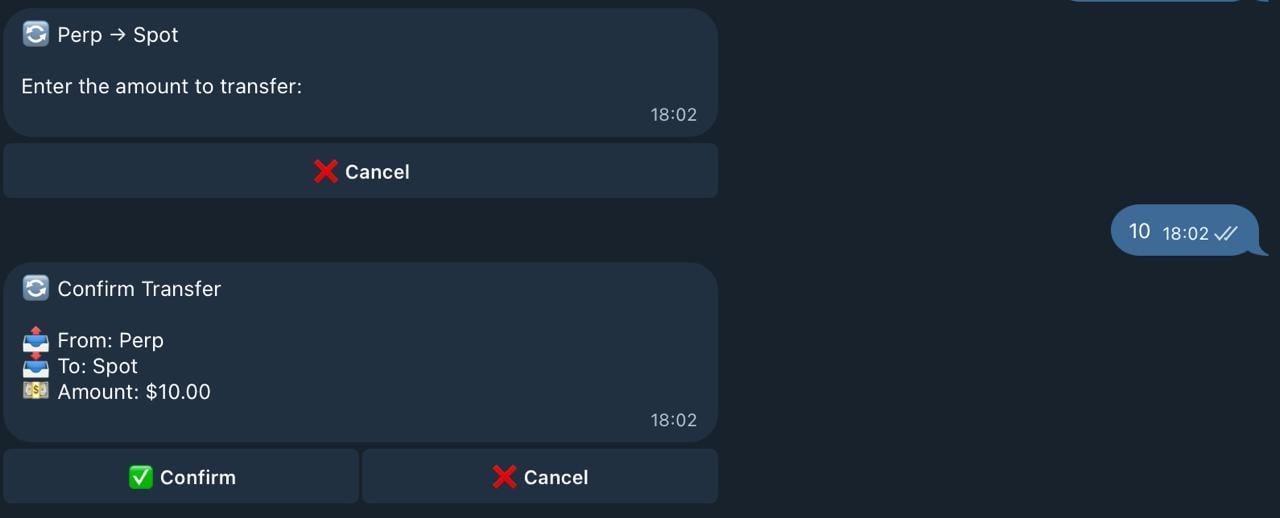

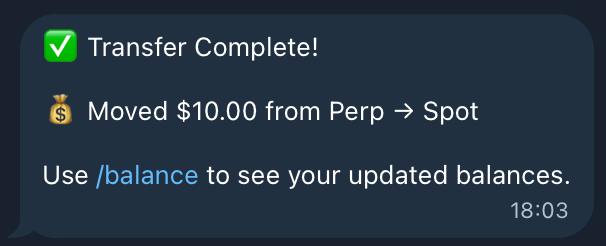
- ✅ Funds moved between accounts
- 💰 Updated balances shown
- 🎉 Ready to trade in the new account!
/send
Usage:/send <amount> <@username or user_id>
Send USDC to another bot user. P2P transfers with instant confirmation.
Examples:
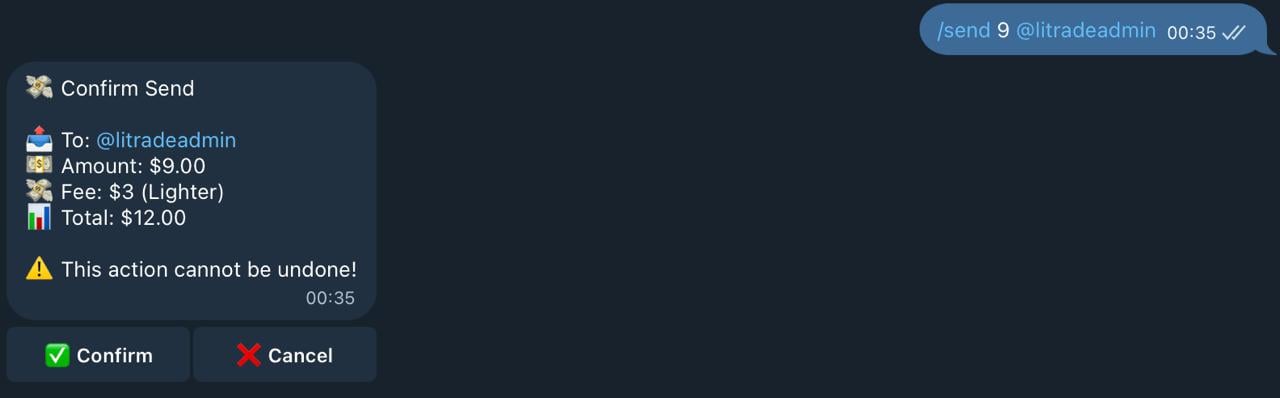
- 💵 Amount to send
- 👤 Recipient username
- 💰 Your balance after transfer
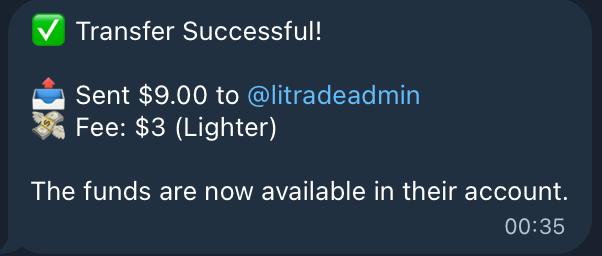
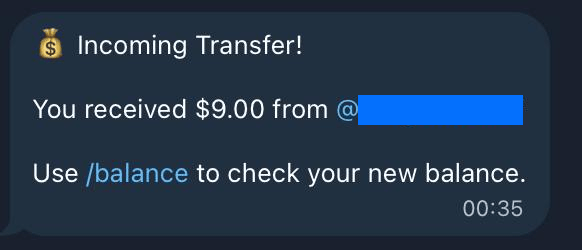
- ✅ Transaction confirmed
- 💸 Funds sent to recipient
- 📊 Updated balance displayed
/long
Usage:/long <asset> <margin> <leverage>
Open a long position (bet on price increase).
Example:
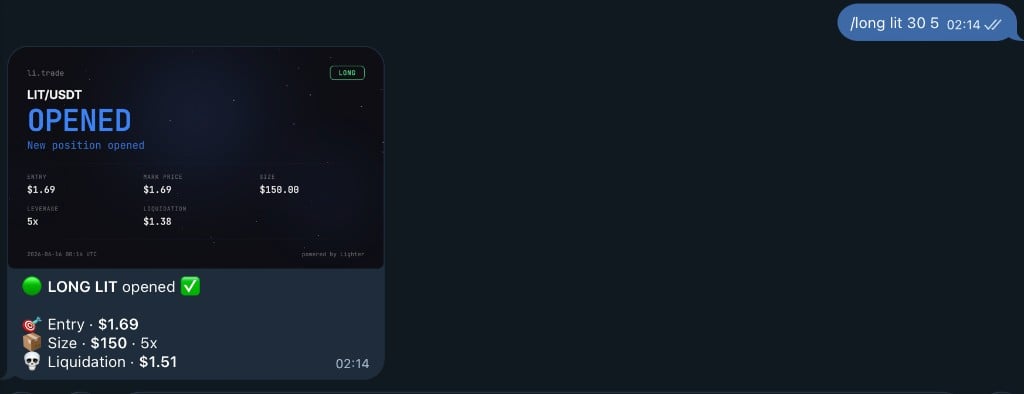
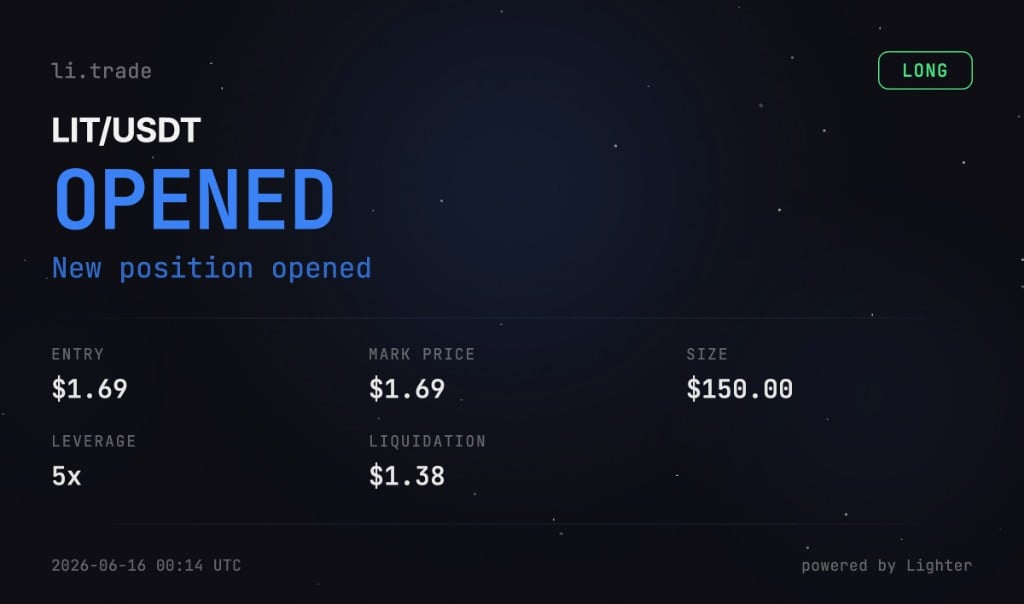
- 🪙 Asset and entry price
- 💰 Position size (leverage × margin)
- 💵 Your margin amount
- ⚡ Leverage multiplier
- 🔻 Estimated liquidation price

/short
Usage:/short <asset> <margin> <leverage>
Open a short position (bet on price decrease).
Example:
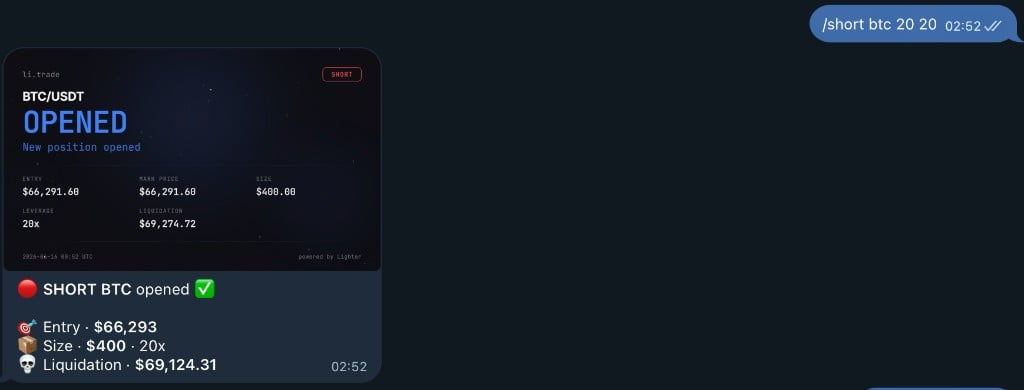
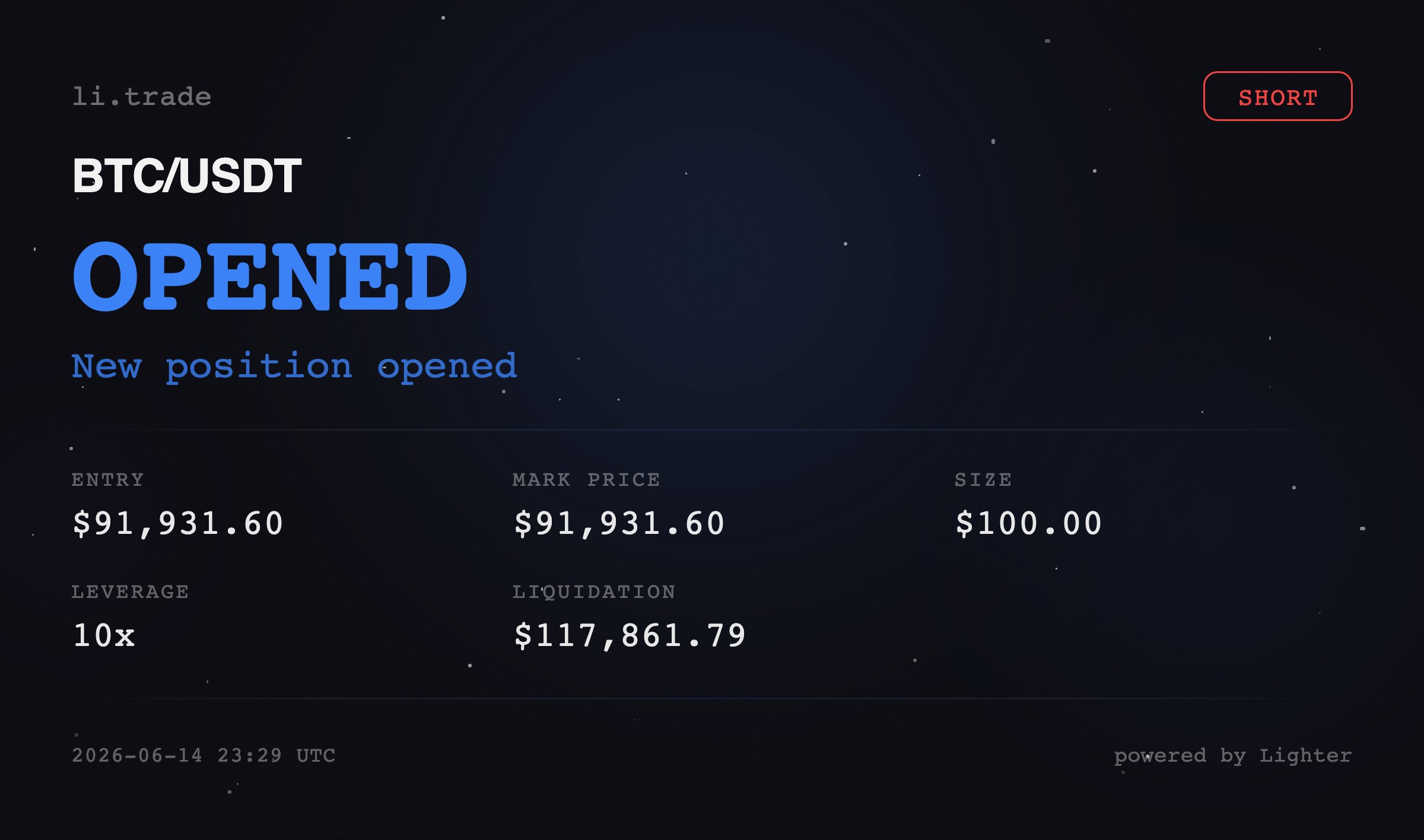
- 🪙 Asset and entry price
- 💰 Position size (leverage × margin)
- 💵 Your margin amount
- ⚡ Leverage multiplier
- 🔺 Estimated liquidation price

/close
Usage:/close <asset> [percentage]
Close a position. After entering the command, you’ll see buttons to select closing percentage (10%, 33%, 50%, 75%, 100%).
Examples:
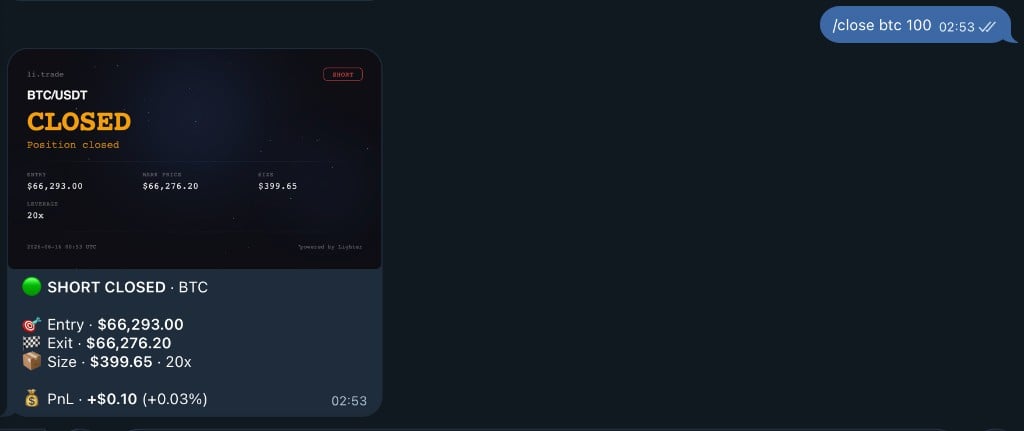

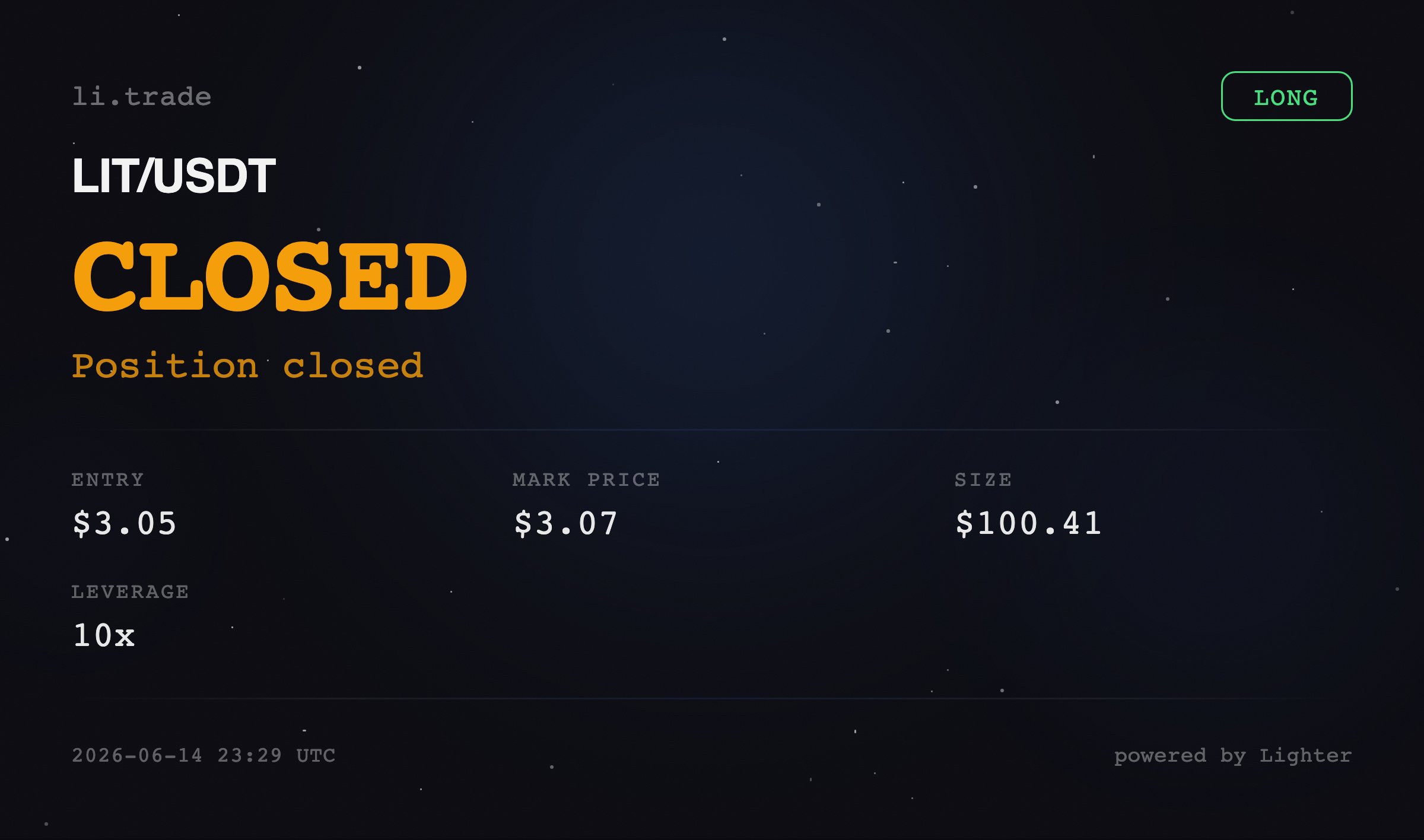
- ✅ Position closed
- 💰 Profit/Loss realized
- 📊 Updated balance
/positions
View all your open positions with beautiful visual cards showing PnL, leverage, entry price, and liquidation price.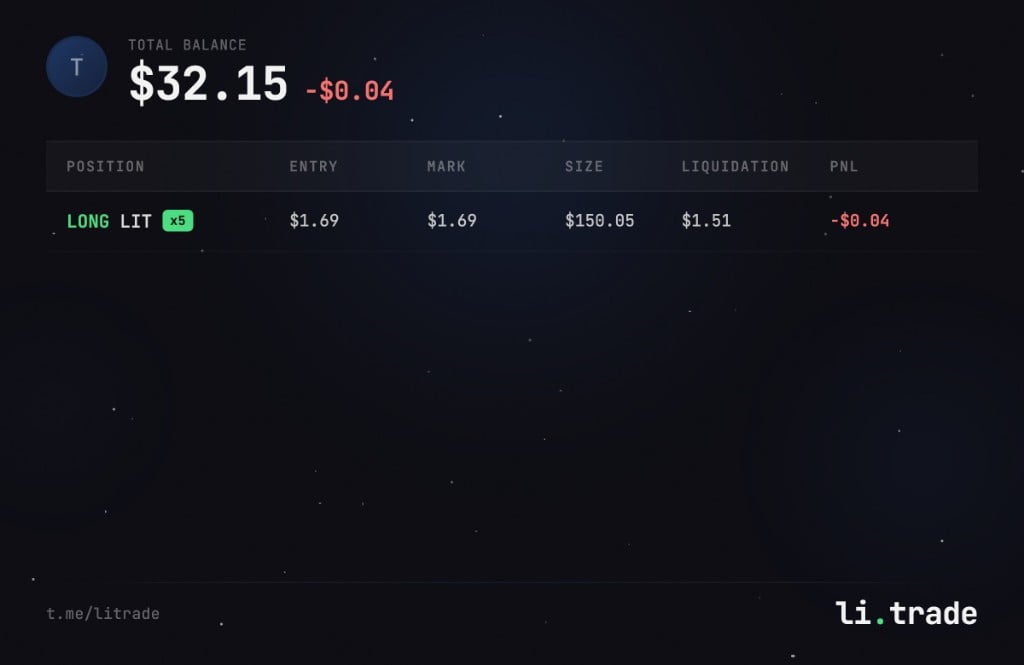
/pnl
View profit and loss for your positions. Shows total PnL and breakdown by asset.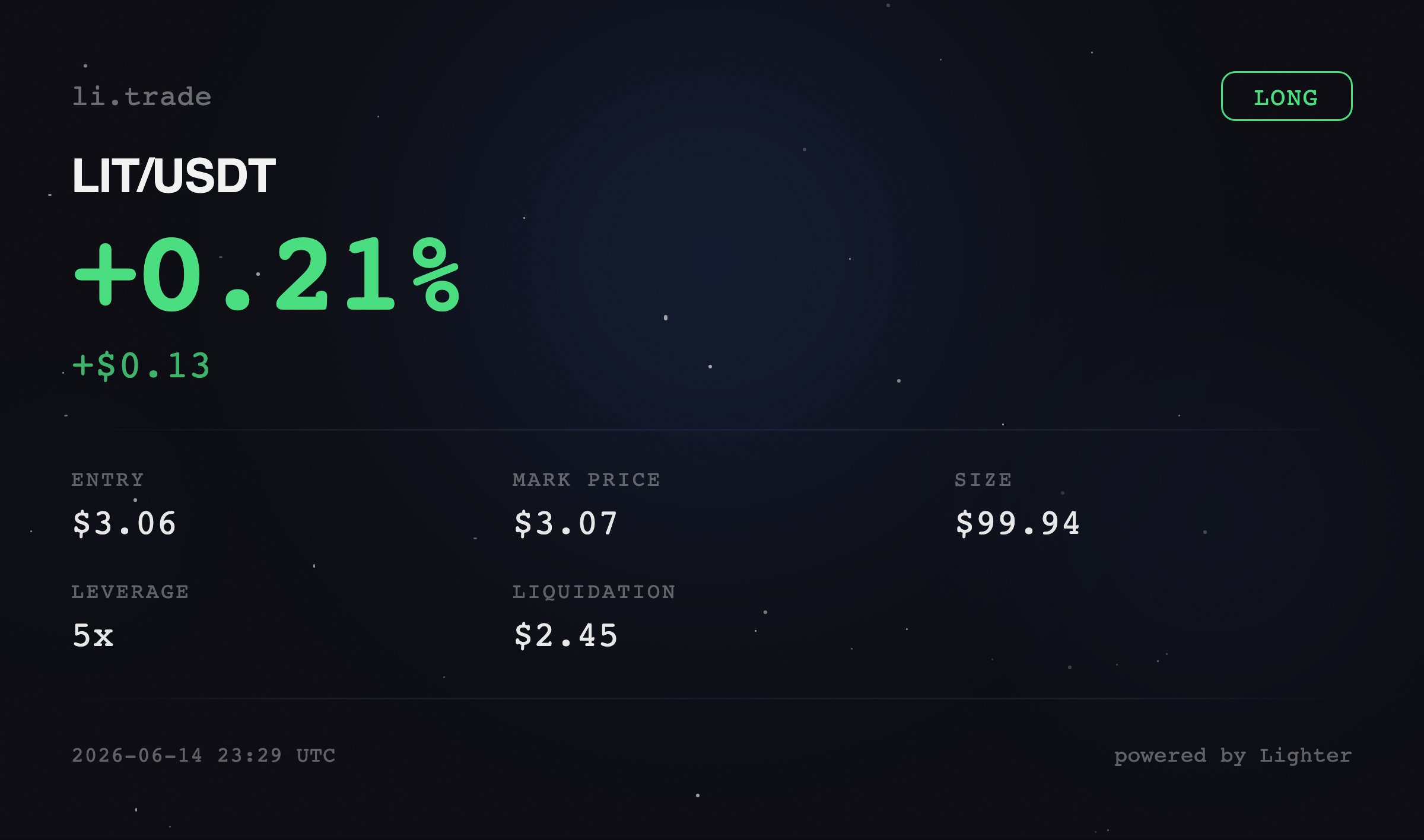
/buy
Usage:/buy <asset> <amount>
Spot market buy. Purchase assets at current market price.
Example:

/sell
Usage:/sell <asset> <percentage|quantity>
Spot market sell. Sell assets at current market price.
Examples:

/limit
Usage:/limit <side> <asset> <margin> <price> <leverage>
Place a perpetual limit order.
Examples:
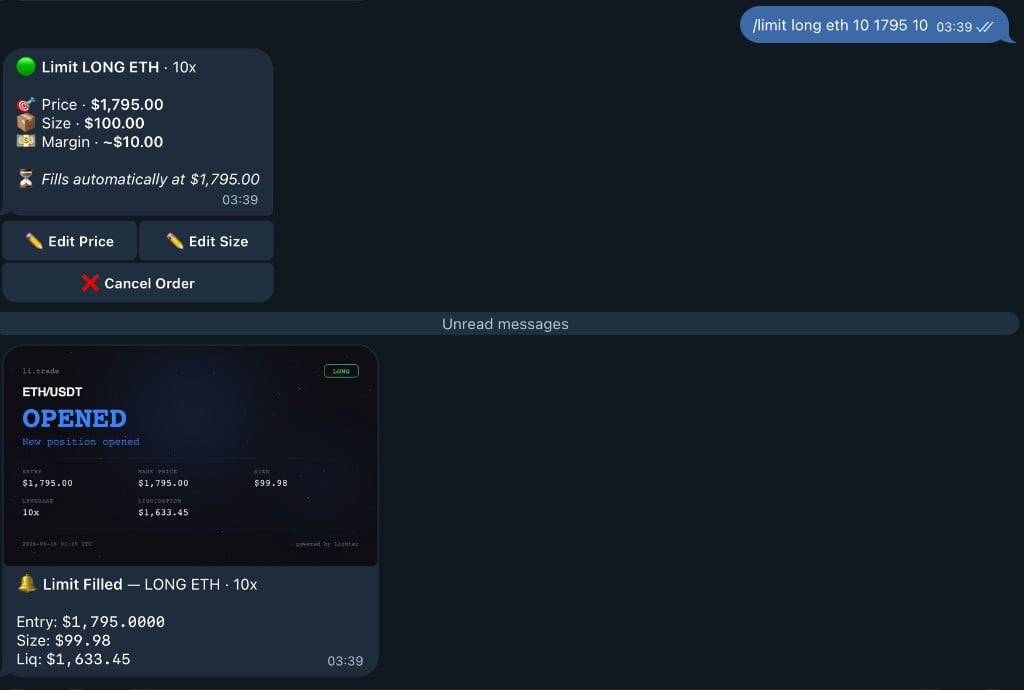
Without leverage = 1x (no leverage)
/sl
Usage:/sl <asset> <price>
Set a stop loss order. Automatically close position if price reaches specified level.
Example:

/tp
Usage:/tp <asset> <price>
Set a take profit order. Automatically close position when profit target is reached.
Example:

/orders
View your open orders and cancel them. Shows all pending limit orders, stop losses, and take profits.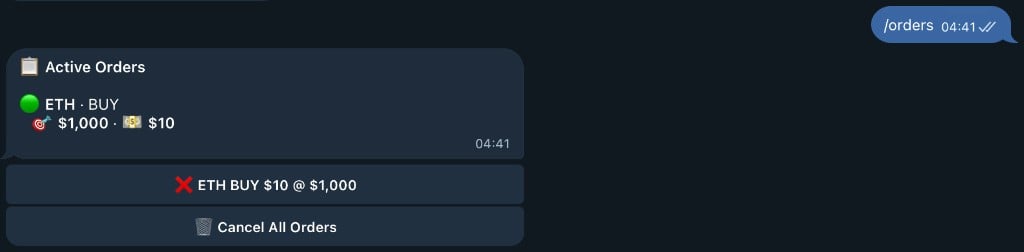
/cancelorders
Cancel all open orders at once. Quickly clear all pending orders.
/prices
View all market prices with 24h change and volume. Paginated view with navigation buttons.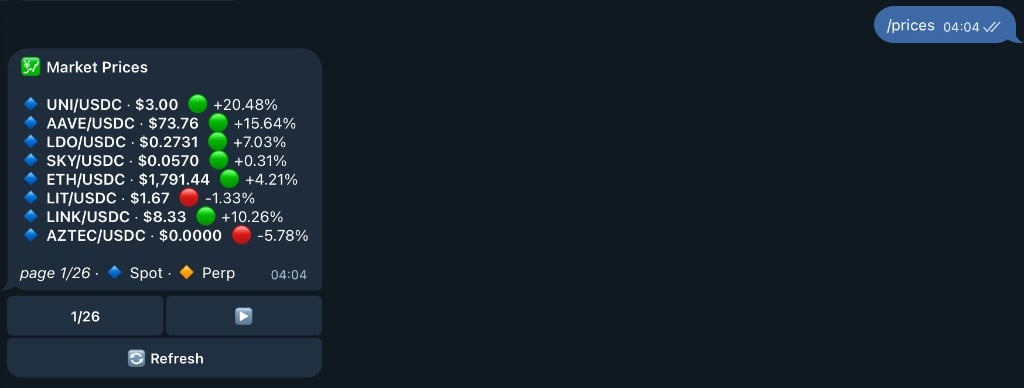
/price
Usage:/price <asset>
Check the price of a specific asset. Shows current price, 24h change, and volume.
Example:

/leaderboard
View the top 10 traders by points. See how you rank against other traders./referral
Get your referral link and view stats. Earn 10% of points from users you invite.
/invite
Get your referral link and view stats. Same as/referral command.
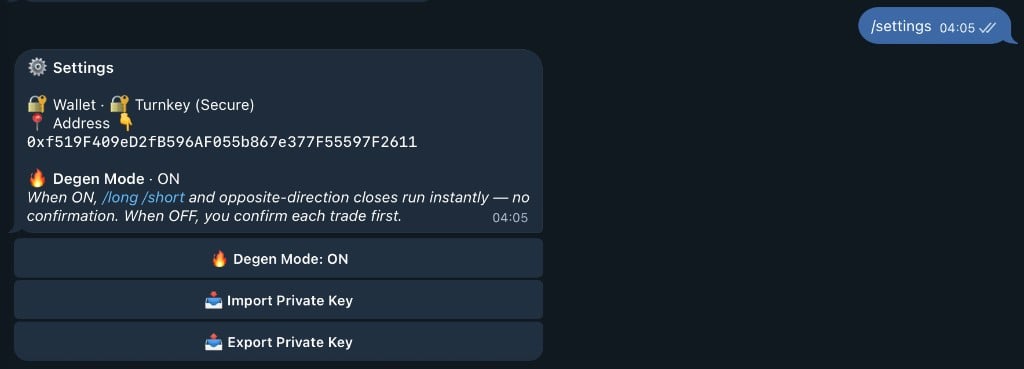
/settings
Open the settings menu to manage bot settings, view your wallet, or contact support.