

Setting up the bot
Open the Lighter bot and run/start to begin. The bot will automatically create a secure Turnkey wallet for you.
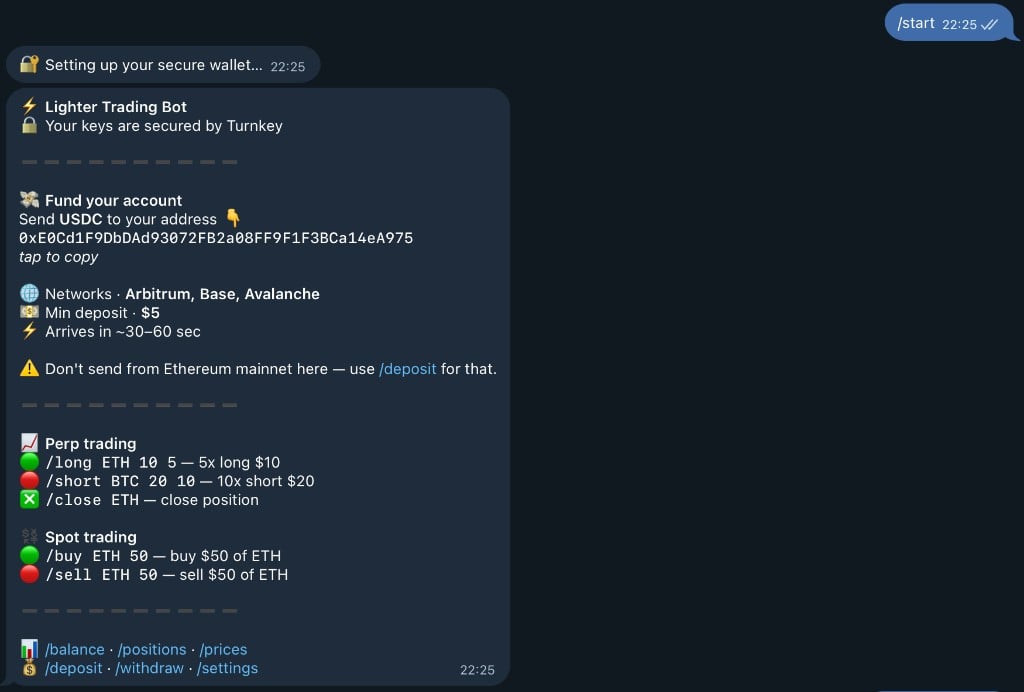
- 📍 Your wallet address (tap to copy)
- 🔒 Turnkey security confirmation
- 💳 Instructions for funding your account
- 🎯 Quick start commands
Depositing
Next, deposit funds to your wallet. You can send USDC on Ethereum Mainnet. Run/deposit to view the address you can send to. You must deposit at least $10 USDC to begin trading.
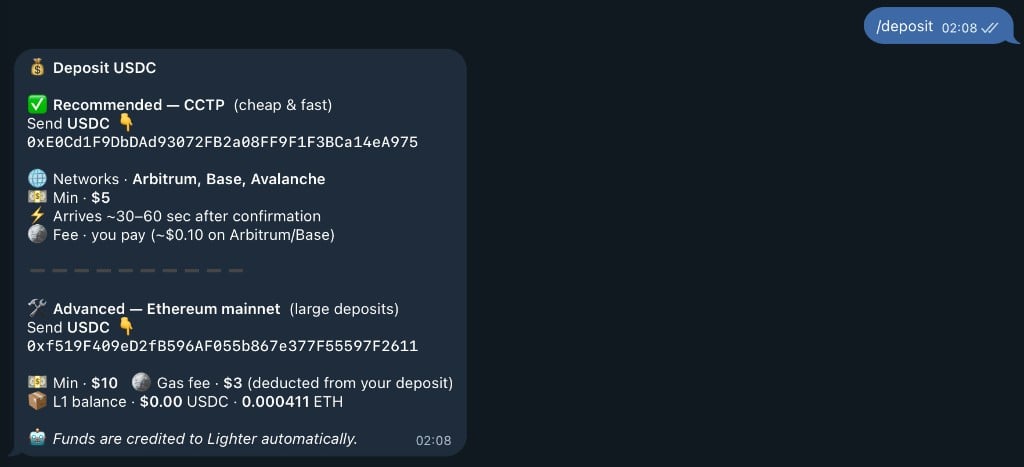
First deposit fee: $3 (for gas costs)
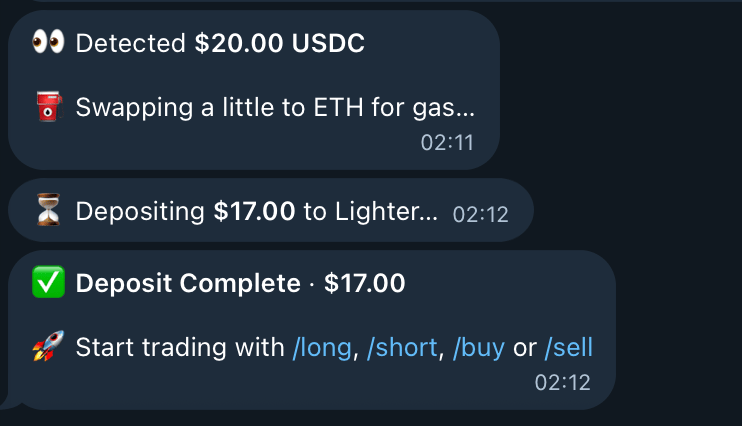
- 👀 Detect your USDC deposit
- 💱 Automatically swap some USDC to ETH for gas
- ✅ Confirm successful deposit
- 🎉 Notify you’re ready to trade!
Opening your first position
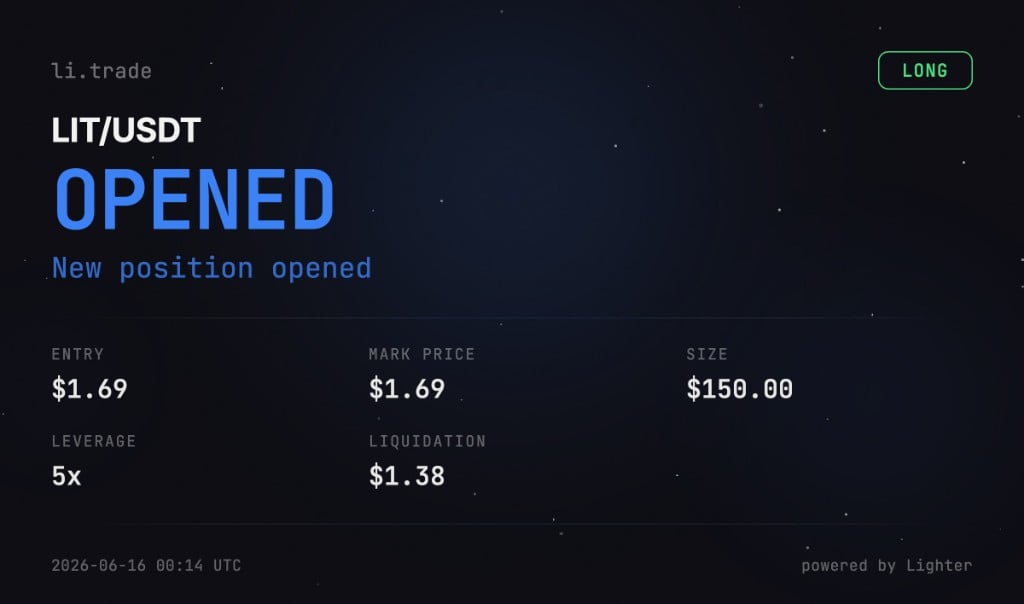
Once your account is funded, type/long or /short to open a position.
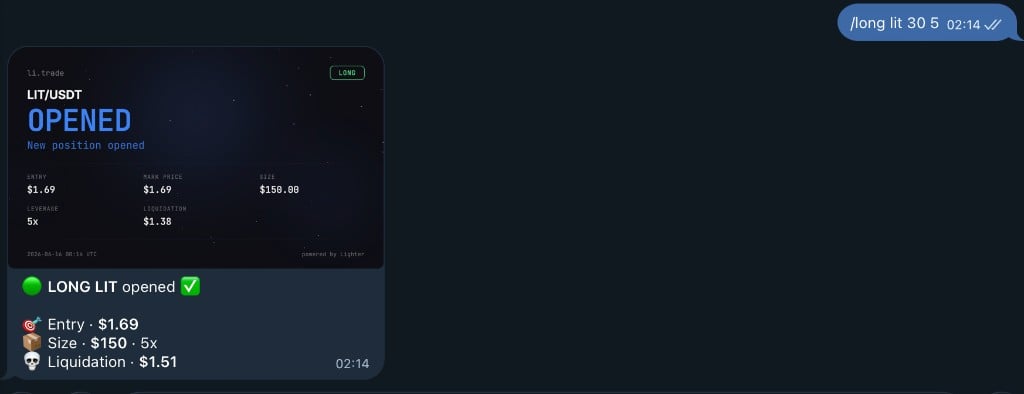

- 🪙 Asset and entry price
- 💰 Position size (leverage × margin)
- 💵 Your margin amount
- ⚡ Leverage
- 🔻 Estimated liquidation price
- 📊 Balance after opening
Viewing your positions
Now that you have an open position, you can view your positions with the/positions command. You’ll see beautiful visual cards showing all your position details including PnL, leverage, and liquidation price.
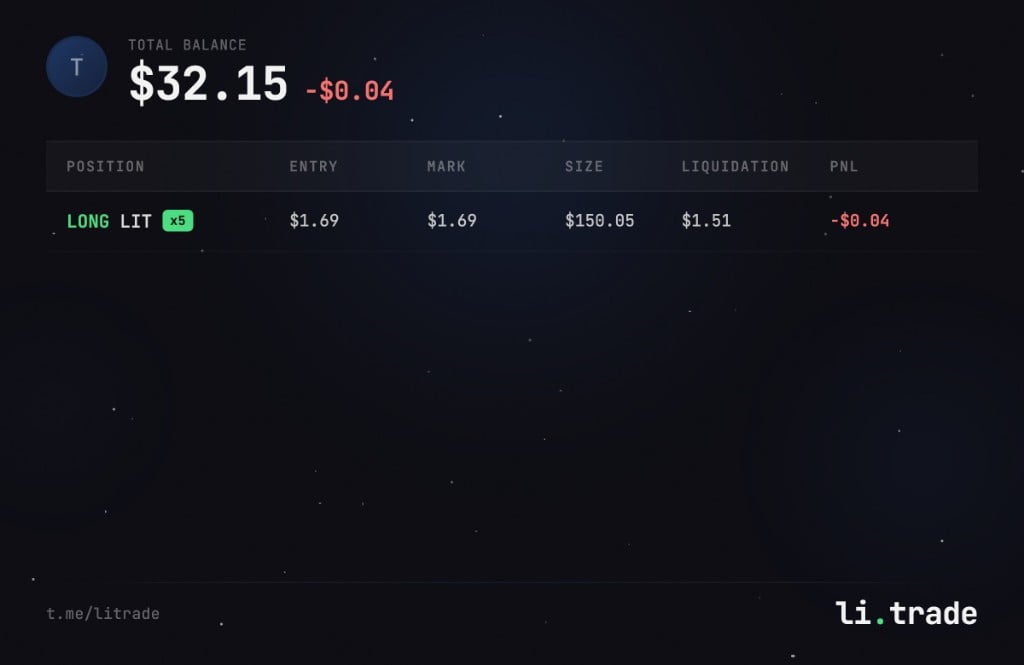
- 📊 Current position details
- 💰 Real-time PnL (profit/loss)
- 📍 Entry price and mark price
- 📏 Position size
- 🔻 Liquidation price
- 🔄 Refresh button to update data
/pnl to see detailed profit and loss information for each position.
Closing your position
When you’re ready to close your position and take profits (or cut losses), use the/close command followed by the asset name.
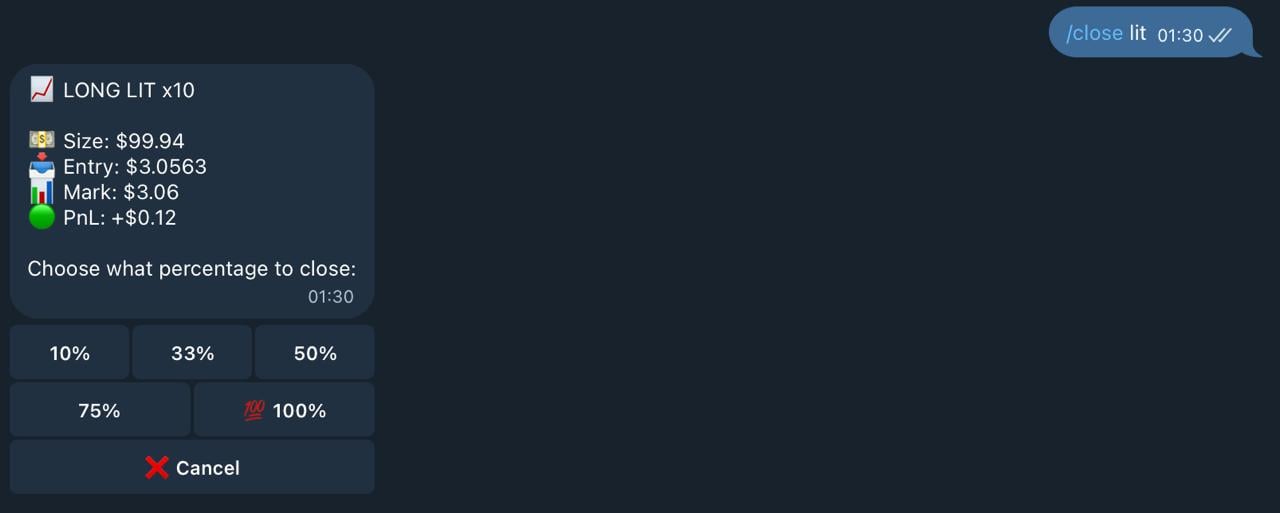
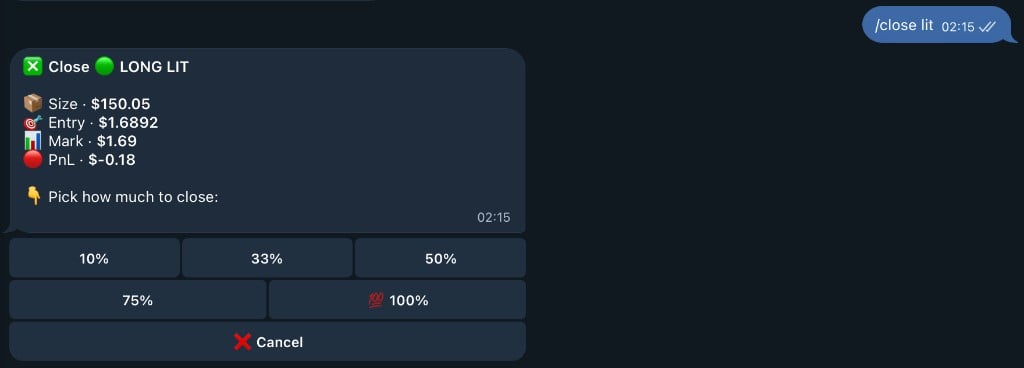
- 10% - partial close
- 33% - one third
- 50% - half position
- 75% - three quarters
- 💯 100% - full position close
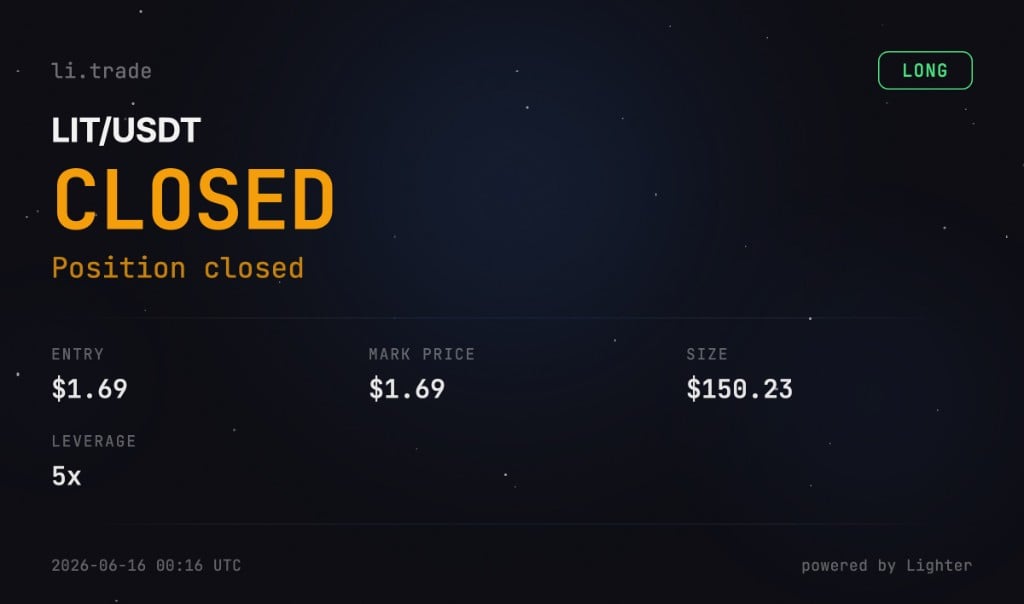
- 💰 Final profit or loss
- 📍 Entry and exit prices
- 📏 Position size
- 📊 Percentage gain/loss
You’re done!
🎉 Welcome to li.trade! You’ve successfully completed your first trade on Lighter.xyz.What’s Next?
Master Your Trading:/pnl— Track your real-time profit and loss/balance— Monitor your PERP and SPOT balances/sland/tp— Set stop loss and take profit orders/limit— Place advanced limit orders
/prices— Browse 100+ trading pairs with live prices/price BTC— Get detailed price info for any asset
/leaderboard— Climb the trader rankings/invite— Share your referral link and earn 10% of points- Trade more to earn weekly points distribution
- Always set stop losses to manage risk
- Start with lower leverage until you’re comfortable
- Use
/positionsto monitor all your trades in real-time
Explore More Commands
Check out all available commands to unlock the full potential of li.trade! Use/help anytime or explore our Commands page for the complete list.
Ready to become a top trader? Let’s go! 🚀