> ## Documentation Index
> Fetch the complete documentation index at: https://docs.lidottrade.xyz/llms.txt
> Use this file to discover all available pages before exploring further.
# Commands
> Complete list of all bot commands
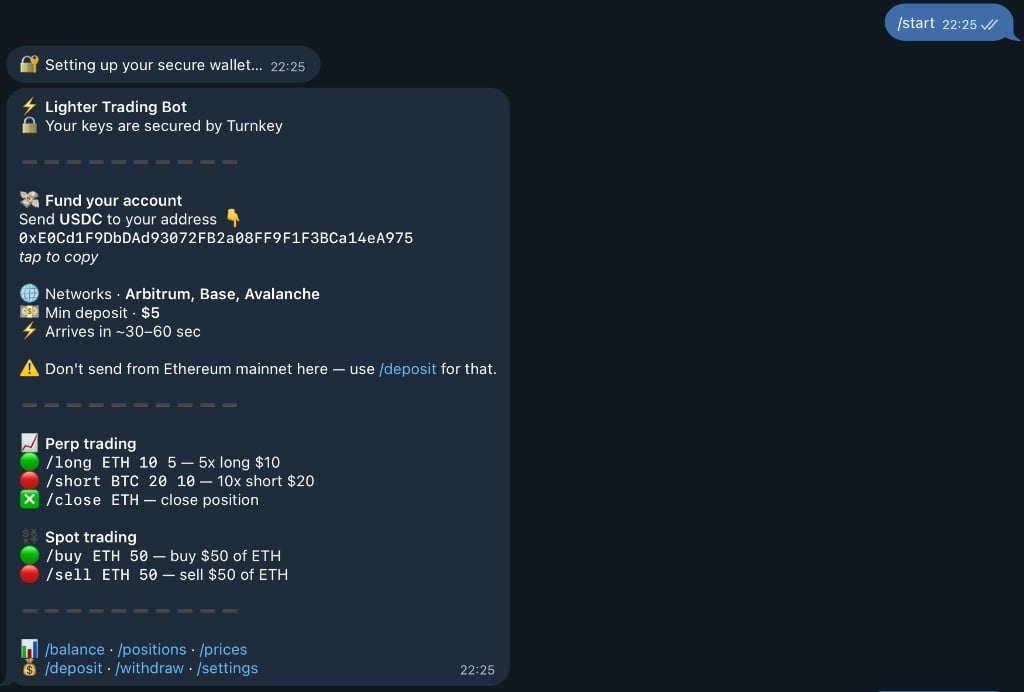
## /start
Setup your wallet and get started with the bot. Creates a secure Turnkey wallet automatically.
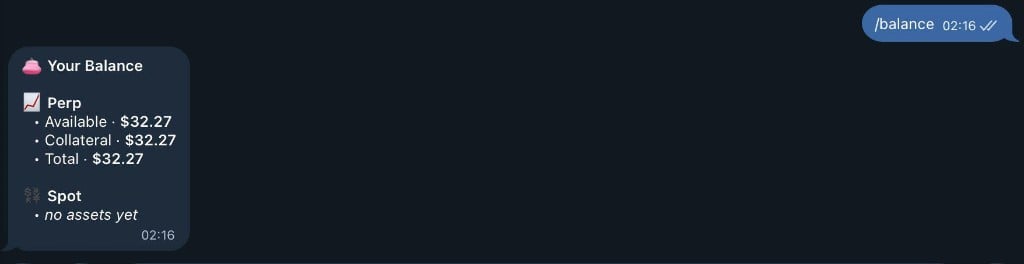
 ## /balance
Check your balance across PERP and SPOT accounts. Shows available balance, collateral, and total asset value.
## /balance
Check your balance across PERP and SPOT accounts. Shows available balance, collateral, and total asset value.
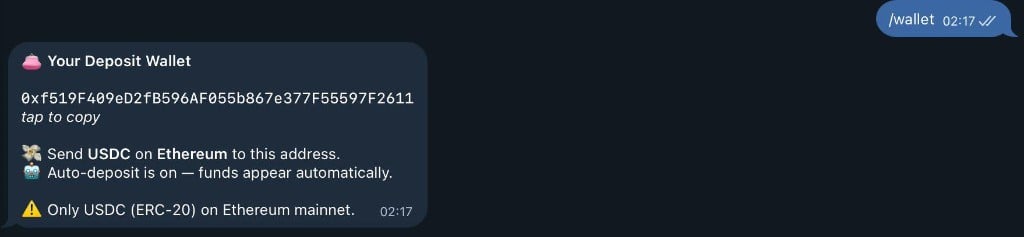
 ## /wallet
Your deposit address for receiving USDC on Ethereum Mainnet.
## /wallet
Your deposit address for receiving USDC on Ethereum Mainnet.
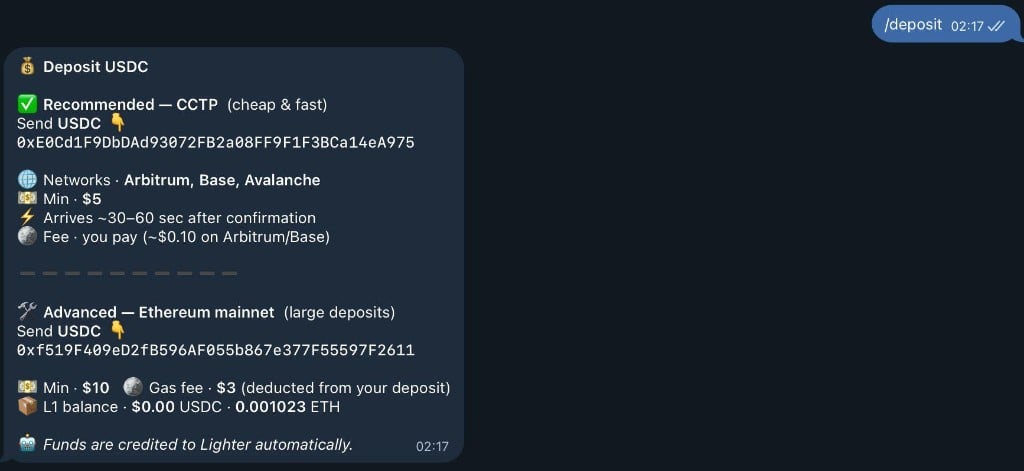
 ## /deposit
Check deposit status and view your wallet address. Automatically deposits USDC to Lighter when received.
## /deposit
Check deposit status and view your wallet address. Automatically deposits USDC to Lighter when received.
 ## /withdraw
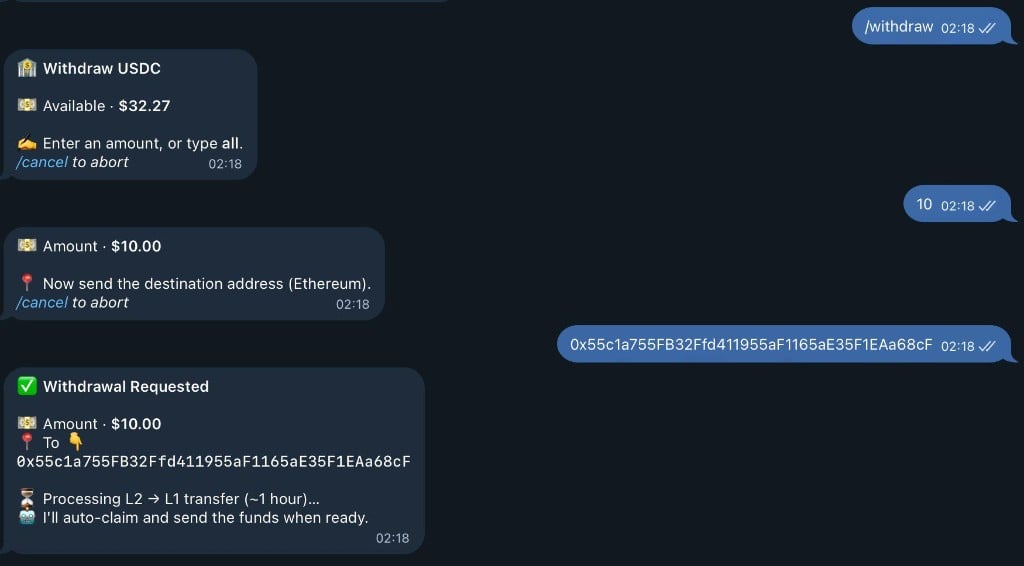
Withdraw funds from your account to any Ethereum address. Follow the interactive prompts to complete withdrawal.
## /withdraw
Withdraw funds from your account to any Ethereum address. Follow the interactive prompts to complete withdrawal.
 ## /transfer
**Usage:** `/transfer` or `/transfer `
Transfer funds between PERP and SPOT balances. Move funds to optimize your trading strategy.
**Examples:**
```
/transfer - Opens transfer menu with options
/transfer 100 - Transfer $100
```
Type `/transfer` to start:
## /transfer
**Usage:** `/transfer` or `/transfer `
Transfer funds between PERP and SPOT balances. Move funds to optimize your trading strategy.
**Examples:**
```
/transfer - Opens transfer menu with options
/transfer 100 - Transfer $100
```
Type `/transfer` to start:
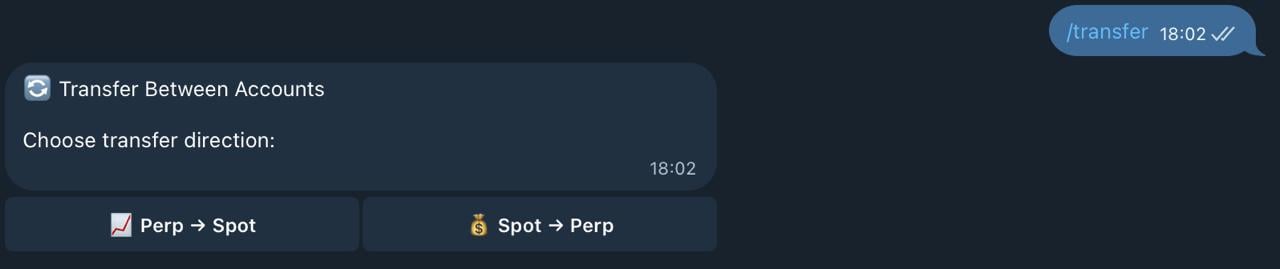 Choose the direction of transfer:
* 📊 PERP → SPOT (for spot trading)
* 📈 SPOT → PERP (for perpetual trading)
Choose the direction of transfer:
* 📊 PERP → SPOT (for spot trading)
* 📈 SPOT → PERP (for perpetual trading)
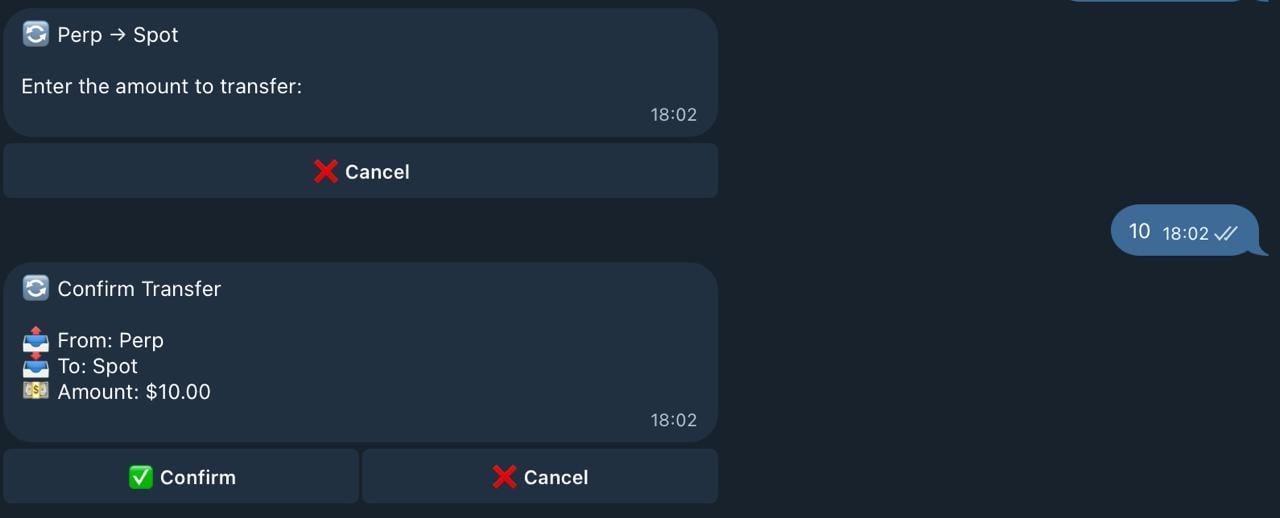 Enter the amount you want to transfer:
 Confirm your transfer and receive instant confirmation:
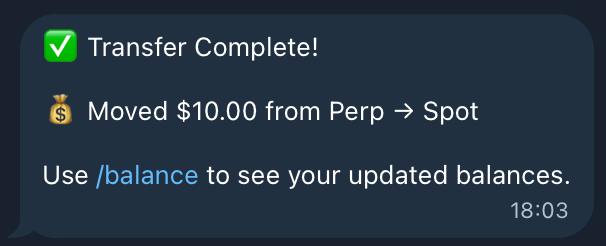 The transfer completes with:
* ✅ Funds moved between accounts
* 💰 Updated balances shown
* 🎉 Ready to trade in the new account!
## /send
**Usage:** `/send <@username or user_id>`
Send USDC to another bot user. P2P transfers with instant confirmation.
**Examples:**
```
/send 50 @username - Send $50 to @username
/send 100 123456789 - Send $100 to user ID
```
Enter the command with the amount and recipient:
The transfer completes with:
* ✅ Funds moved between accounts
* 💰 Updated balances shown
* 🎉 Ready to trade in the new account!
## /send
**Usage:** `/send <@username or user_id>`
Send USDC to another bot user. P2P transfers with instant confirmation.
**Examples:**
```
/send 50 @username - Send $50 to @username
/send 100 123456789 - Send $100 to user ID
```
Enter the command with the amount and recipient:
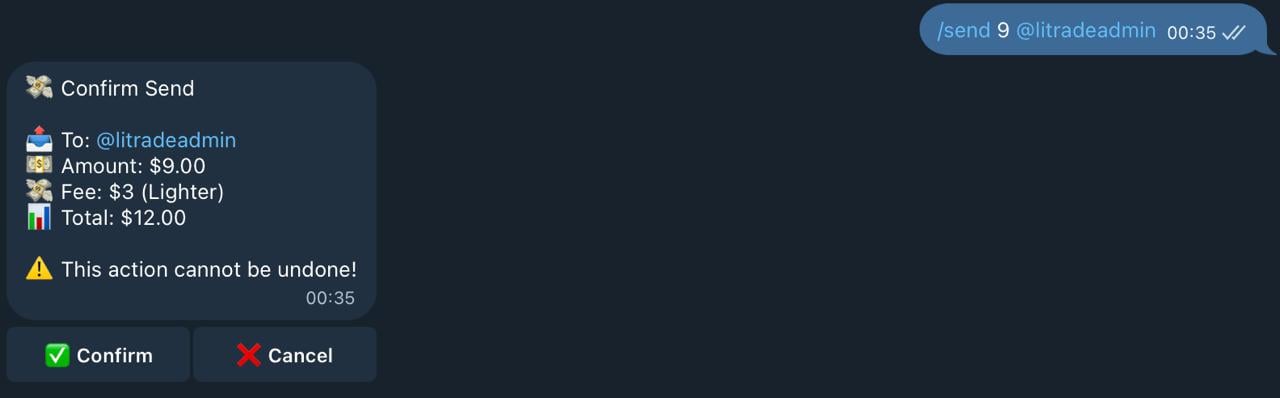 The bot will show you a confirmation with:
* 💵 Amount to send
* 👤 Recipient username
* 💰 Your balance after transfer
Confirm the transaction:
The bot will show you a confirmation with:
* 💵 Amount to send
* 👤 Recipient username
* 💰 Your balance after transfer
Confirm the transaction:
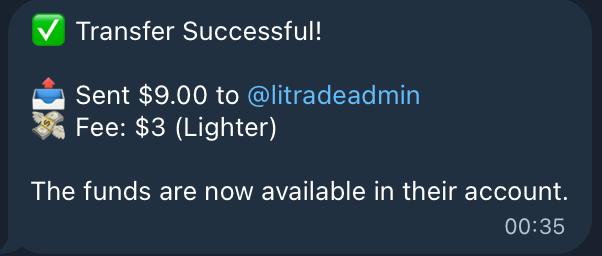 You'll receive instant confirmation:
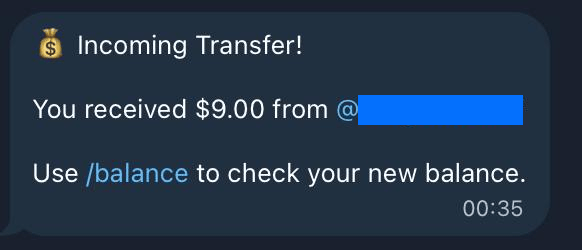 The transfer is completed instantly with:
* ✅ Transaction confirmed
* 💸 Funds sent to recipient
* 📊 Updated balance displayed
## /long
**Usage:** `/long `
Open a long position (bet on price increase).
**Example:**
```
/long ETH 100 10
```
Opens a 10x long on ETH with \$100 margin.
Enter your long position details:
The transfer is completed instantly with:
* ✅ Transaction confirmed
* 💸 Funds sent to recipient
* 📊 Updated balance displayed
## /long
**Usage:** `/long `
Open a long position (bet on price increase).
**Example:**
```
/long ETH 100 10
```
Opens a 10x long on ETH with \$100 margin.
Enter your long position details:
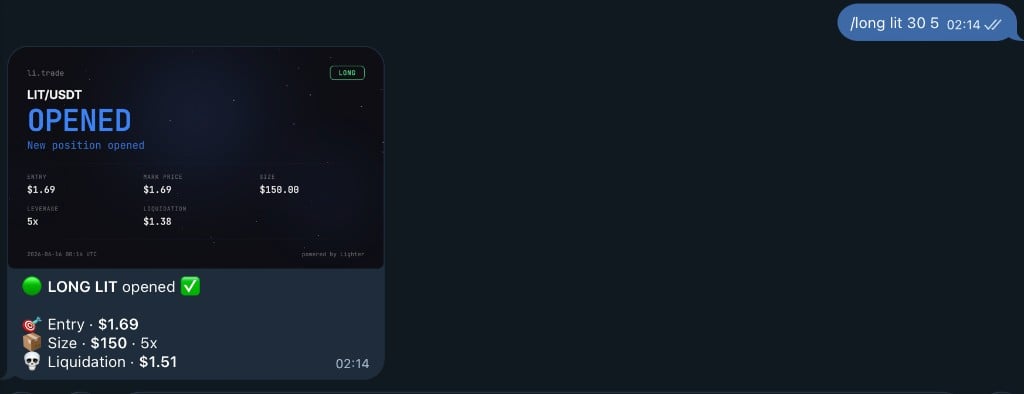 Review your position preview with:
* 🪙 Asset and entry price
* 💰 Position size (leverage × margin)
* 💵 Your margin amount
* ⚡ Leverage multiplier
* 🔻 Estimated liquidation price
Review your position preview with:
* 🪙 Asset and entry price
* 💰 Position size (leverage × margin)
* 💵 Your margin amount
* ⚡ Leverage multiplier
* 🔻 Estimated liquidation price
 Confirm and your position opens:
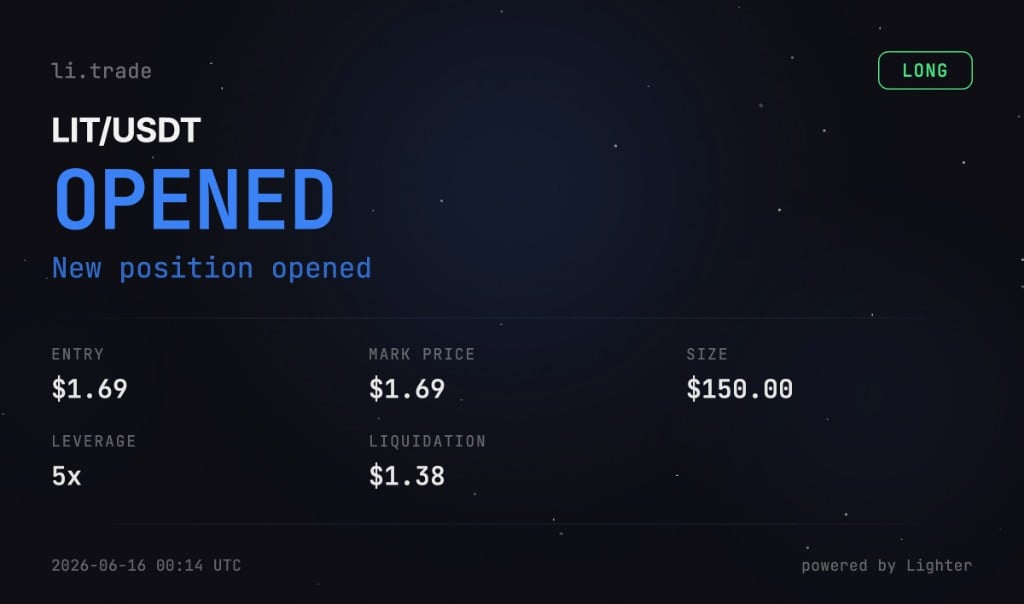 You'll receive a beautiful position card with all trade details!
## /short
**Usage:** `/short `
Open a short position (bet on price decrease).
**Example:**
```
/short BTC 50 5
```
Opens a 5x short on BTC with \$50 margin.
Enter your short position details:
You'll receive a beautiful position card with all trade details!
## /short
**Usage:** `/short `
Open a short position (bet on price decrease).
**Example:**
```
/short BTC 50 5
```
Opens a 5x short on BTC with \$50 margin.
Enter your short position details:
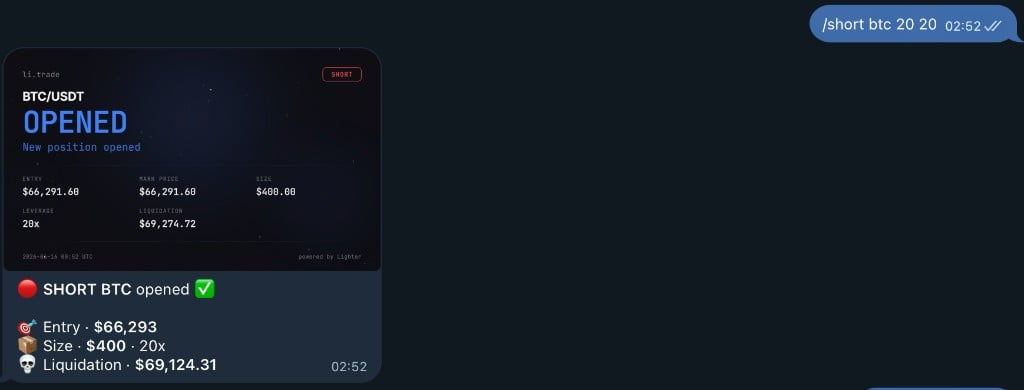 Review your position preview with:
* 🪙 Asset and entry price
* 💰 Position size (leverage × margin)
* 💵 Your margin amount
* ⚡ Leverage multiplier
* 🔺 Estimated liquidation price
Review your position preview with:
* 🪙 Asset and entry price
* 💰 Position size (leverage × margin)
* 💵 Your margin amount
* ⚡ Leverage multiplier
* 🔺 Estimated liquidation price
 Confirm and your position opens:
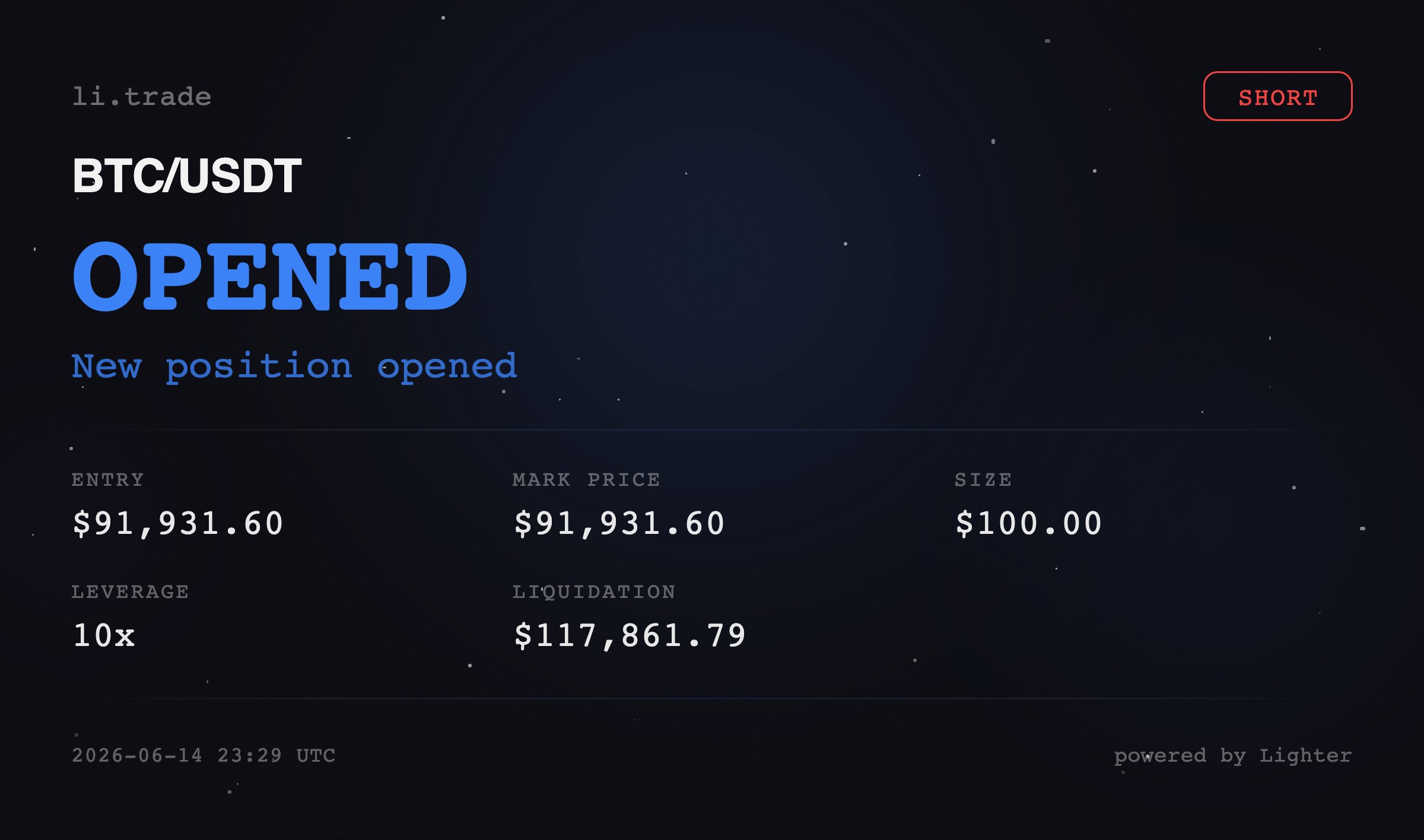 You'll receive a beautiful position card with all trade details!
## /close
**Usage:** `/close [percentage]`
Close a position. After entering the command, you'll see buttons to select closing percentage (10%, 33%, 50%, 75%, 100%).
**Examples:**
```
/close ETH - Opens close menu with percentage options
/close BTC 50 - Directly close 50% of BTC position
```
Enter the asset to close:
You'll receive a beautiful position card with all trade details!
## /close
**Usage:** `/close [percentage]`
Close a position. After entering the command, you'll see buttons to select closing percentage (10%, 33%, 50%, 75%, 100%).
**Examples:**
```
/close ETH - Opens close menu with percentage options
/close BTC 50 - Directly close 50% of BTC position
```
Enter the asset to close:
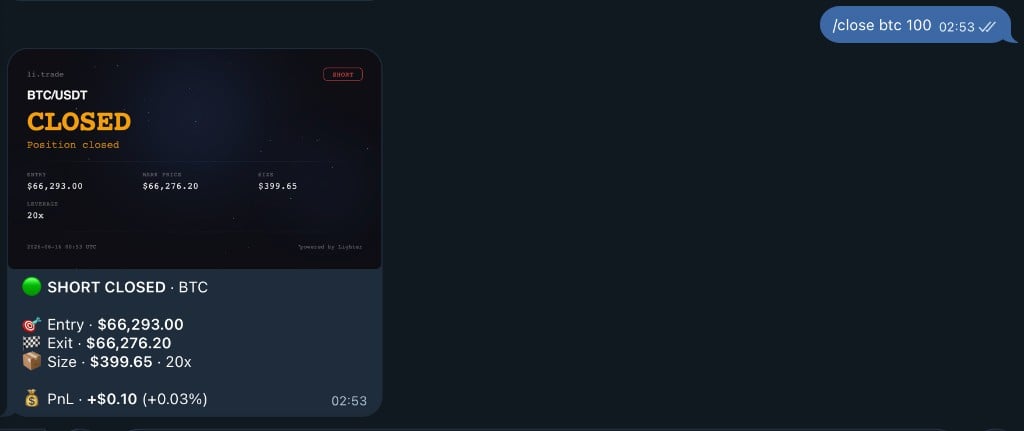 Select the percentage to close:
 Position closed successfully:
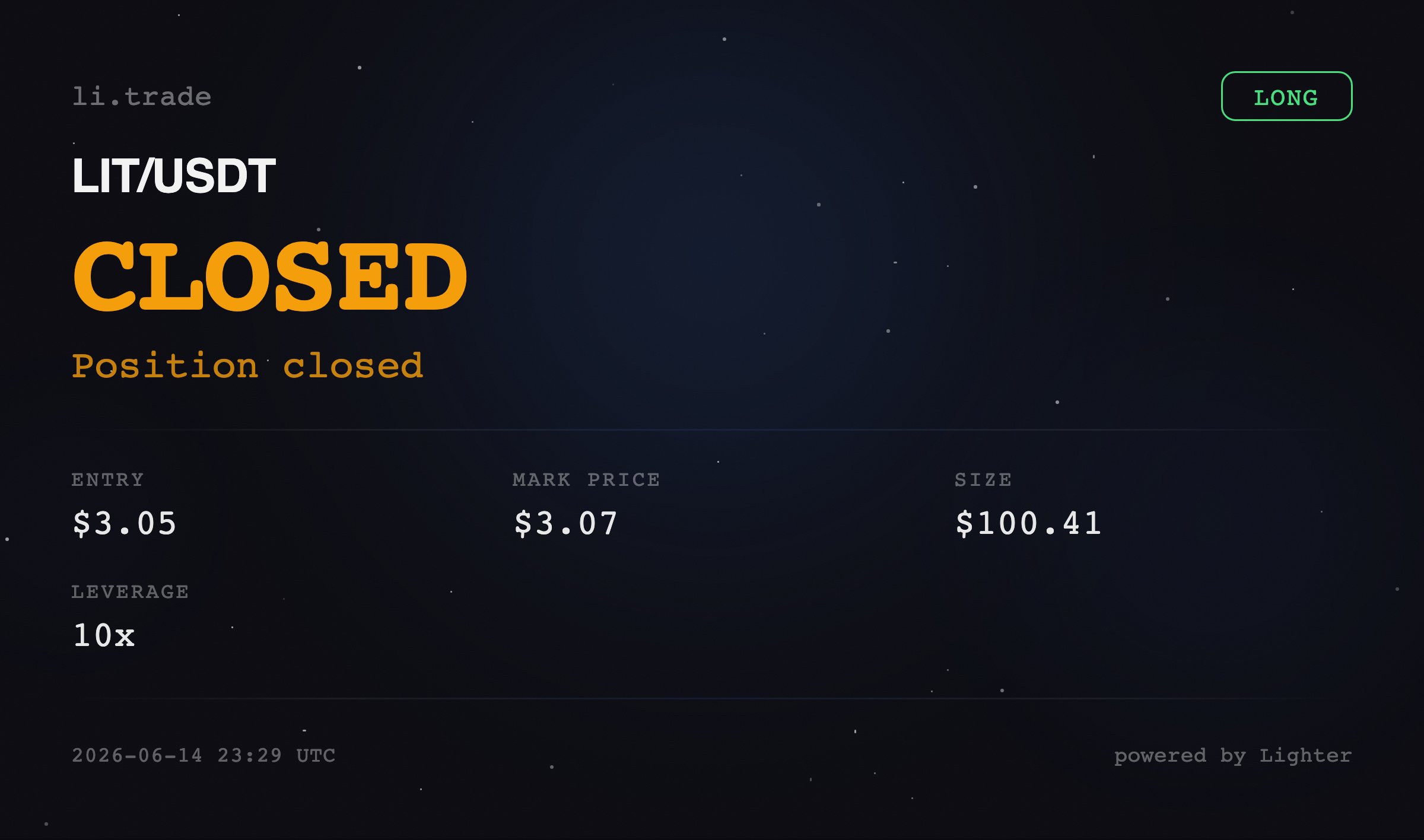 You'll receive confirmation with:
* ✅ Position closed
* 💰 Profit/Loss realized
* 📊 Updated balance
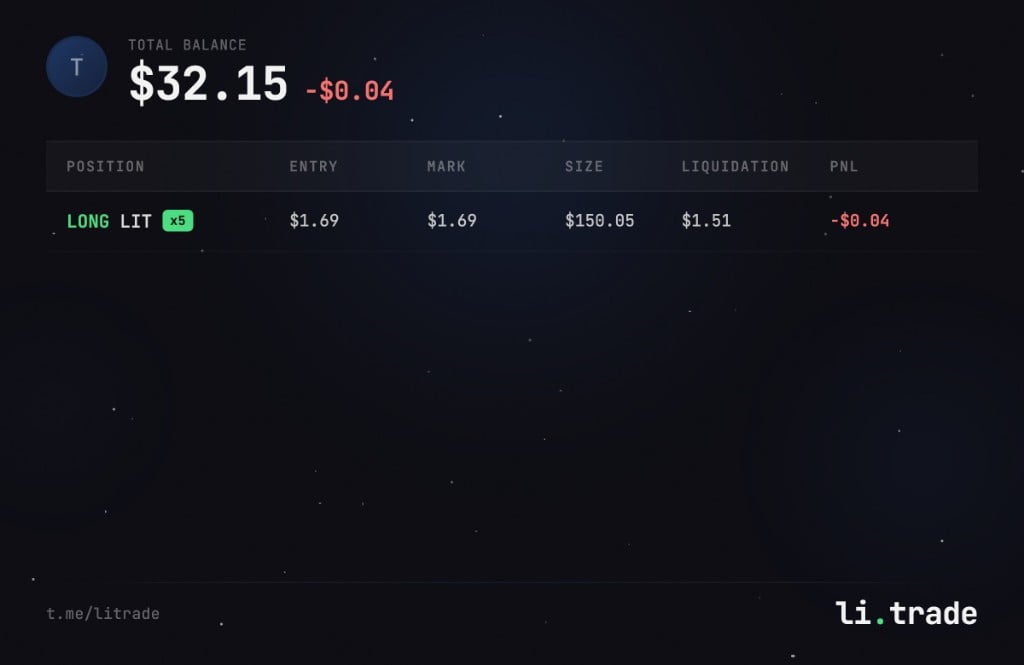
## /positions
View all your open positions with beautiful visual cards showing PnL, leverage, entry price, and liquidation price.
You'll receive confirmation with:
* ✅ Position closed
* 💰 Profit/Loss realized
* 📊 Updated balance
## /positions
View all your open positions with beautiful visual cards showing PnL, leverage, entry price, and liquidation price.
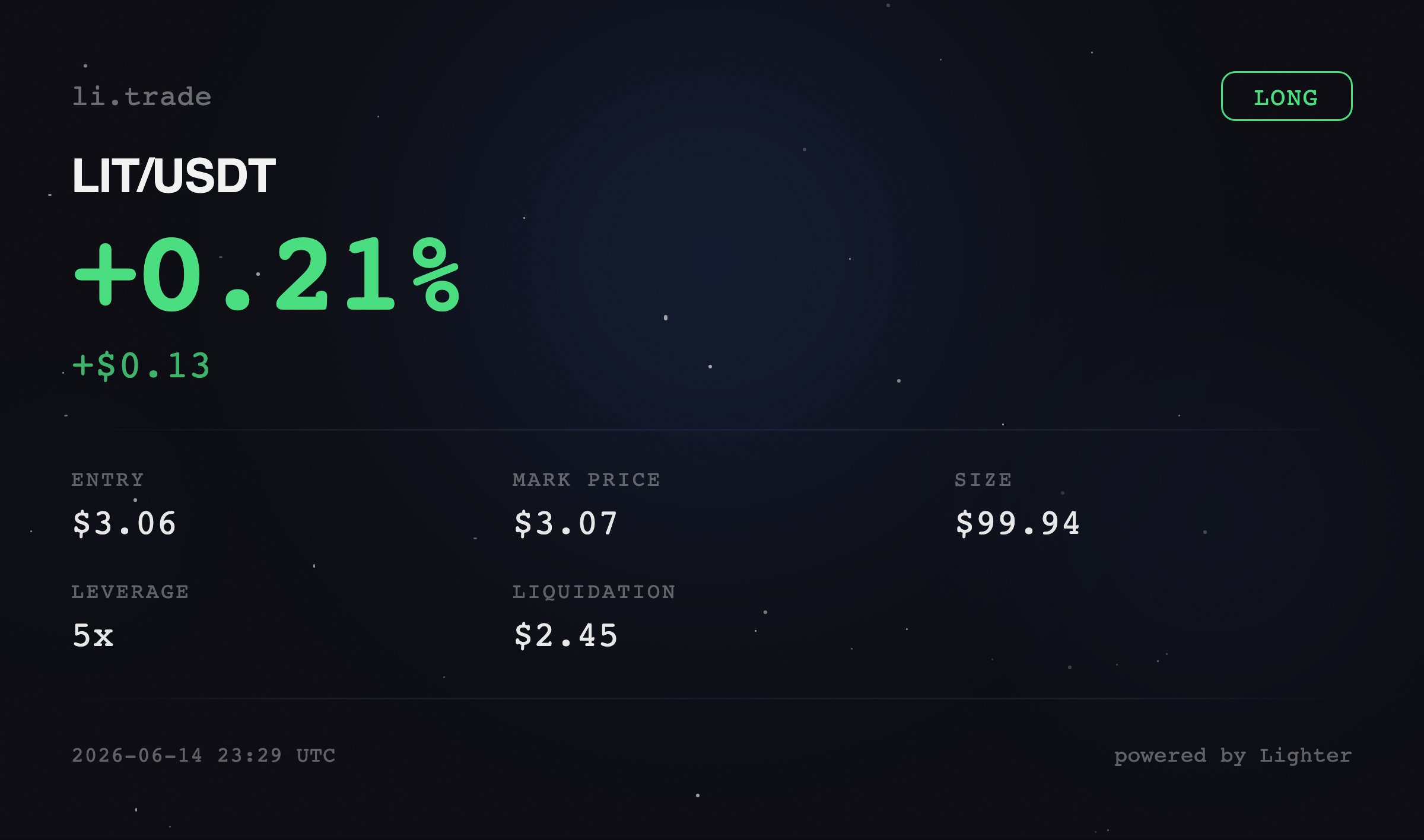
 ## /pnl
View profit and loss for your positions. Shows total PnL and breakdown by asset.
## /pnl
View profit and loss for your positions. Shows total PnL and breakdown by asset.
 ## /buy
**Usage:** `/buy `
Spot market buy. Purchase assets at current market price.
**Example:**
```
/buy ETH 100 - Buy $100 worth of ETH
```
## /buy
**Usage:** `/buy `
Spot market buy. Purchase assets at current market price.
**Example:**
```
/buy ETH 100 - Buy $100 worth of ETH
```
 ## /sell
**Usage:** `/sell `
Spot market sell. Sell assets at current market price.
**Examples:**
```
/sell ETH 100% - Sell 100% of your ETH
/sell ETH 50% - Sell 50% of your ETH
/sell ETH 0.5 - Sell 0.5 ETH (specific quantity)
```
## /sell
**Usage:** `/sell `
Spot market sell. Sell assets at current market price.
**Examples:**
```
/sell ETH 100% - Sell 100% of your ETH
/sell ETH 50% - Sell 50% of your ETH
/sell ETH 0.5 - Sell 0.5 ETH (specific quantity)
```
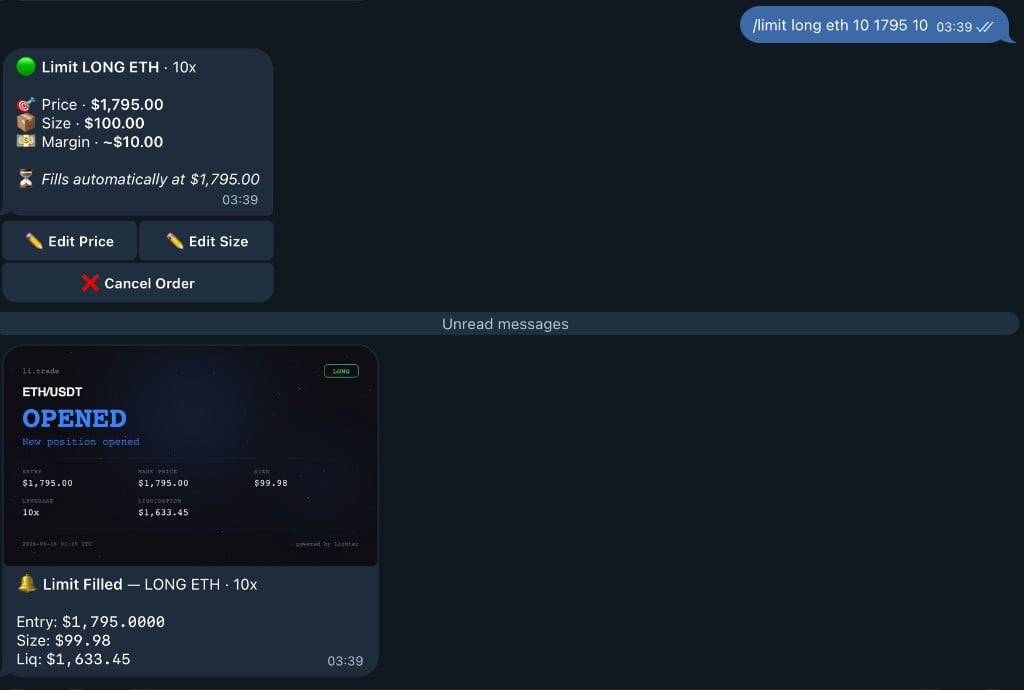
 ## /limit
**Usage:** `/limit `
Place a perpetual limit order.
**Examples:**
```
/limit long ETH 10 3000 - Long ETH with $10 margin at $3000, 1x leverage
/limit long ETH 10 3000 10x - Long ETH with $10 margin at $3000, 10x leverage
/limit short BTC 50 95000 5x - Short BTC with $50 margin at $95000, 5x leverage
```
## /limit
**Usage:** `/limit `
Place a perpetual limit order.
**Examples:**
```
/limit long ETH 10 3000 - Long ETH with $10 margin at $3000, 1x leverage
/limit long ETH 10 3000 10x - Long ETH with $10 margin at $3000, 10x leverage
/limit short BTC 50 95000 5x - Short BTC with $50 margin at $95000, 5x leverage
```
 Without leverage = 1x (no leverage)
## /sl
**Usage:** `/sl `
Set a stop loss order. Automatically close position if price reaches specified level.
**Example:**
```
/sl ETH 3000 - Close ETH position if price drops to $3000
```
Without leverage = 1x (no leverage)
## /sl
**Usage:** `/sl `
Set a stop loss order. Automatically close position if price reaches specified level.
**Example:**
```
/sl ETH 3000 - Close ETH position if price drops to $3000
```
 ## /tp
**Usage:** `/tp `
Set a take profit order. Automatically close position when profit target is reached.
**Example:**
```
/tp ETH 3500 - Close ETH position if price rises to $3500
```
## /tp
**Usage:** `/tp `
Set a take profit order. Automatically close position when profit target is reached.
**Example:**
```
/tp ETH 3500 - Close ETH position if price rises to $3500
```
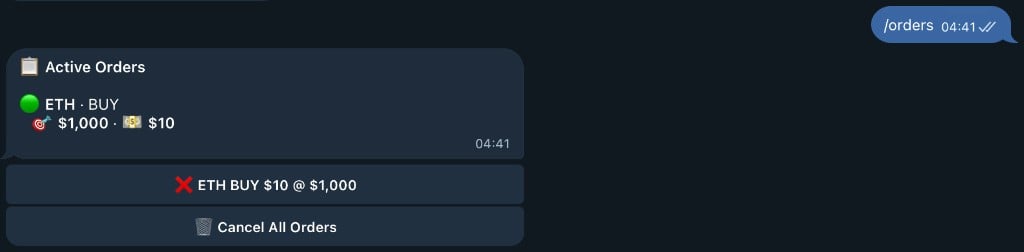
 ## /orders
View your open orders and cancel them. Shows all pending limit orders, stop losses, and take profits.
## /orders
View your open orders and cancel them. Shows all pending limit orders, stop losses, and take profits.
 ## /cancelorders
Cancel all open orders at once. Quickly clear all pending orders.
## /cancelorders
Cancel all open orders at once. Quickly clear all pending orders.
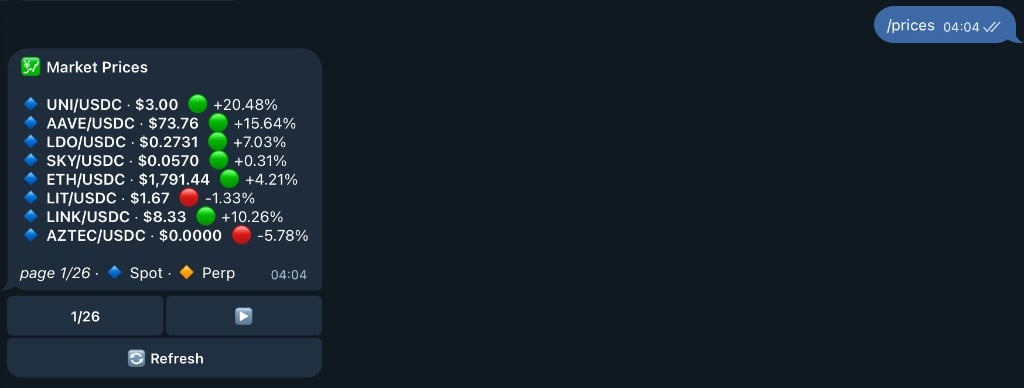
 ## /prices
View all market prices with 24h change and volume. Paginated view with navigation buttons.
## /prices
View all market prices with 24h change and volume. Paginated view with navigation buttons.
 ## /price
**Usage:** `/price `
Check the price of a specific asset. Shows current price, 24h change, and volume.
**Example:**
```
/price BTC - Get BTC price and 24h stats
```
## /price
**Usage:** `/price `
Check the price of a specific asset. Shows current price, 24h change, and volume.
**Example:**
```
/price BTC - Get BTC price and 24h stats
```
 ## /leaderboard
View the top 10 traders by points. See how you rank against other traders.
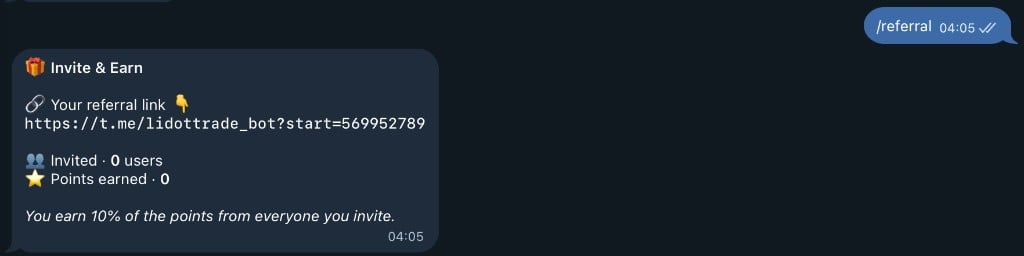
## /referral
Get your referral link and view stats. Earn 10% of points from users you invite.
## /leaderboard
View the top 10 traders by points. See how you rank against other traders.
## /referral
Get your referral link and view stats. Earn 10% of points from users you invite.
 ## /invite
Get your referral link and view stats. Same as `/referral` command.
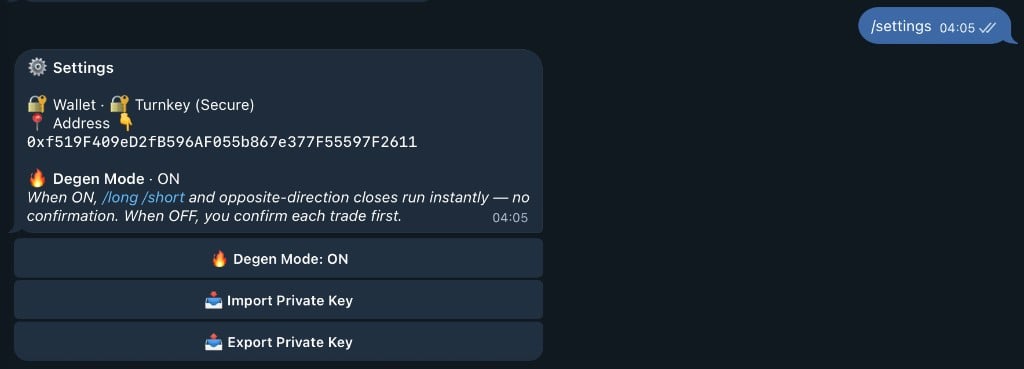
## /settings
Open the settings menu to manage bot settings, view your wallet, or contact support.
## /invite
Get your referral link and view stats. Same as `/referral` command.
## /settings
Open the settings menu to manage bot settings, view your wallet, or contact support.